
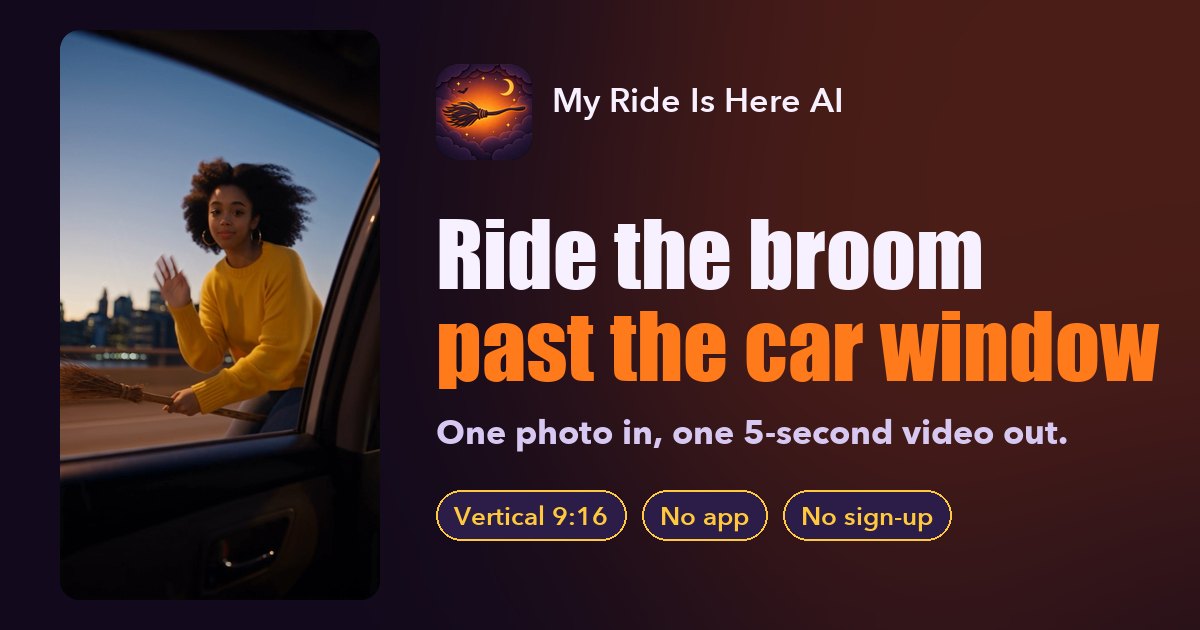
If you only want the My Ride Is Here broom video, a one-photo tool is the shortest path: My Ride Is Here AI turns one selfie into a 5-second, vertical 9:16 clip made with Seedance 2.5 by ByteDance, usually in about 5 minutes, for $4.90 for your first video and $5.90 after, with no prompt, no model choice and no subscription. General AI video apps such as Higgsfield or Dreamina can make the same shot, but you set it up yourself and usually pay through credits or a plan.
How the options compare
| General AI video apps (Higgsfield, Dreamina and similar) | My Ride Is Here AI | |
|---|---|---|
| Setup | Write a prompt, pick a model, ratio and length | Upload one photo |
| Pricing | Credits or a subscription, set by each app | $4.90 first video, $5.90 after, pay once |
| Account | Usually required | Not required; the video link is emailed to you |
| Model | You choose from the app's list | Seedance 2.5 by ByteDance (a third-party model) |
| Output | Whatever your prompt and settings produce | The car-window broom shot: 5 s, 9:16, silent MP4 |
| Time | Depends on the model and how many retries you need | Usually about 5 minutes |
| If it fails | Each app has its own rules | Credits come back automatically; make it again at no extra cost |
Pricing and plans of other apps change often, so check their own pricing pages before you buy.
What a general app makes you do
To get the trend's shot from a general AI video app, you typically:
- Pick a model that supports a photo as the first frame or as a character reference.
- Write a prompt that describes the car interior, the window, the broom, the motion and the camera. A starting point is in My Ride Is Here prompts that work.
- Set the ratio to 9:16 and choose a length.
- Generate, check the face and the broom, adjust the prompt, and generate again.
That flexibility is the point of those apps. It is also why the same video can take several paid tries.
When a general app is the better choice
- You want to change the shot a lot: a different camera angle, a whole costume change, a longer scene.
- You want videos longer than 5 seconds, or with generated sound where a model supports it.
- You plan to make many different effects every month, so a plan works out cheaper per video.
- You enjoy writing prompts and comparing models.
When a one-photo tool is the better choice
- You want this exact trend, now, from a selfie.
- You would rather pay for one video than for a plan or a credit pack.
- You do not want to make another account.
- You want a silent clip to add the trend's sound yourself in TikTok, Reels or Shorts.
What you give up with a one-photo tool
Being honest about the limits: the shot is fixed (a rider on a broom outside a car window), every video is 5 seconds, there is no sound, and one person rides per video. You can steer the scene with a short optional note such as "at night in the rain", but you cannot turn it into a different effect.
Only upload photos of yourself or of people who agreed, and no celebrities. See the best photos for this trend for what works.
FAQ
Is this site made by Higgsfield or Dreamina?
No. My Ride Is Here AI is an independent tool and is not affiliated with Higgsfield, Dreamina, TikTok or CapCut.
Which AI model makes the videos?
Seedance 2.5 by ByteDance, a third-party AI video model. You do not need to pick one or write a prompt.
Do I need a subscription?
No. You pay once per video. There is no subscription and no sign-up.
What if the video fails?
Its credits come back automatically, so you can make it again at no extra cost.
Can I use the video in another editor?
Yes. Download the MP4 and edit it in CapCut or any other app.
My Ride Is Here AI guides
- What Is the My Ride Is Here Trend? TikTok Witch Broom Meme (2026)
- How to Make a My Ride Is Here Video from One Photo (3 Steps)
- Free My Ride Is Here AI Generator? The Honest Answer (2026)
- My Ride Is Here CapCut Template vs AI: Which Wins? (2026)
- Best Photos for My Ride Is Here: What Works and What Fails
- Can Your Dog or Cat Ride the Broom? My Ride Is Here Pets (2026)
- What Song Is in the My Ride Is Here Trend? (2026)
- My Ride Is Here AI Prompts That Work (Car Window Broom, 2026)